
XSYNERGY / AR REMOTE COLLABORATION
See the same field view.
Work through the problem together.
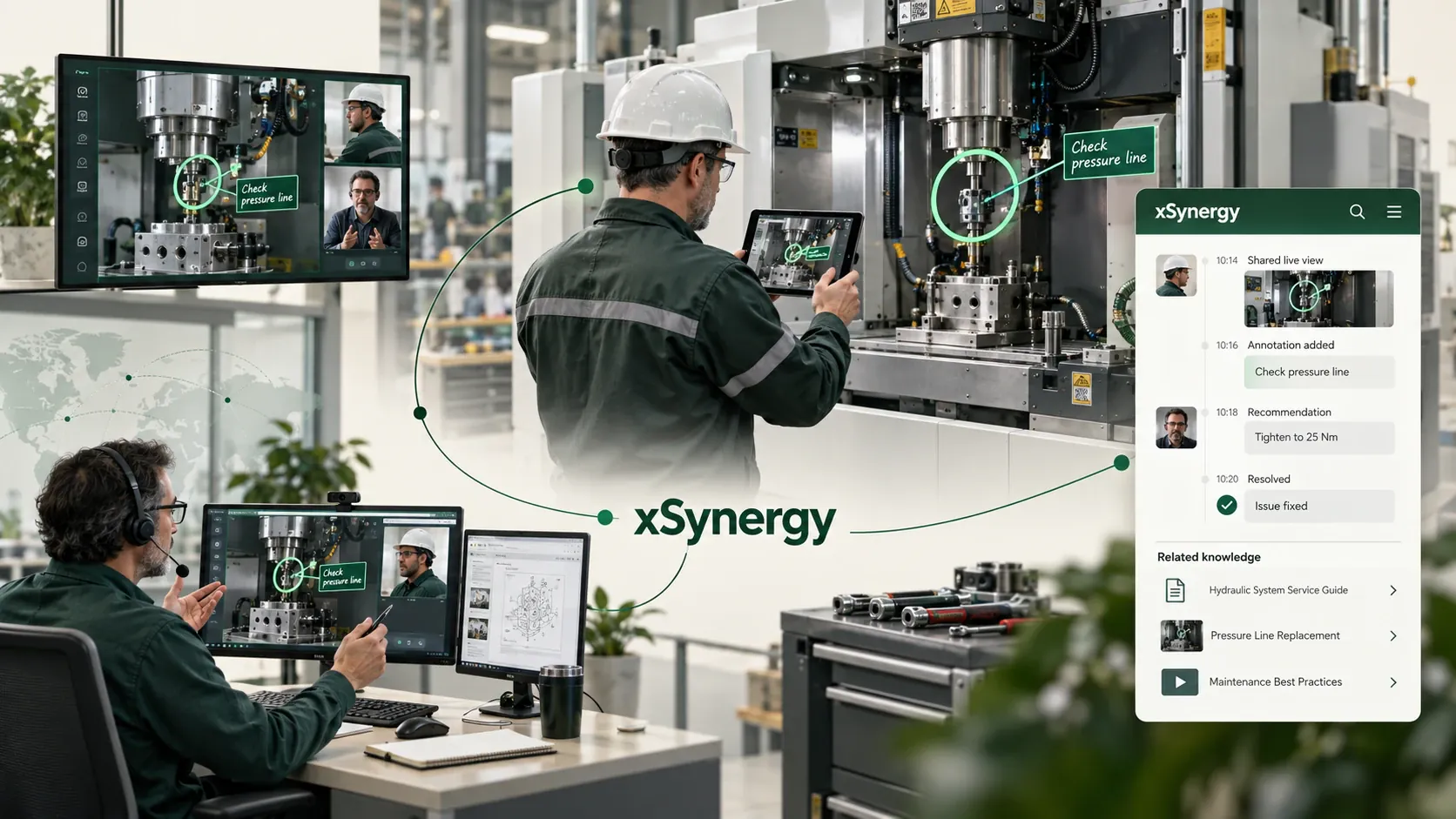
Share the equipment view over audio and video, mark the relevant area and discuss the next step. Bring remote experts into the conversation without relying on verbal descriptions alone.
HOW IT WORKS
From input to a usable result.
CAPABILITIES
Functions organized around daily work.
Audio/video collaboration
Field staff and experts talk over the same live view.
Shared markup
Mark the exact area on the shared view and reduce ambiguity in location and terminology.
Collaboration records
Define recording, transcription, conclusion capture and access by use case.
Business connection
Define interfaces and access separately when the collaboration needs to connect to equipment history, work orders or a knowledge base.
USE & IMPLEMENTATION
What should be clear before you start?
Can it work on a poor connection?
Live collaboration needs a usable connection. Depending on bandwidth, reduce video quality, switch to voice or send still images. With no coverage, capture first and upload later; continuous live access cannot be promised.
Does it require dedicated hardware?
Start with a phone or tablet for common cases. Hands-free work or unusual sites may need another device; confirm the model and integration during solution design.
Can remote guidance replace the field operator?
No. Remote collaboration supports communication and judgment. Equipment operation, safety measures and work approval remain with qualified personnel under site procedures.
NEXT STEP
Use one concrete job to see whether it fits.
Tell us how the work is done today and which step you want to improve. We will shape the demo around your field conditions.